
What bluDELTA Can Do2026-07-17T16:29:39+02:00

Understanding documents.
Using data.
Automating processes.

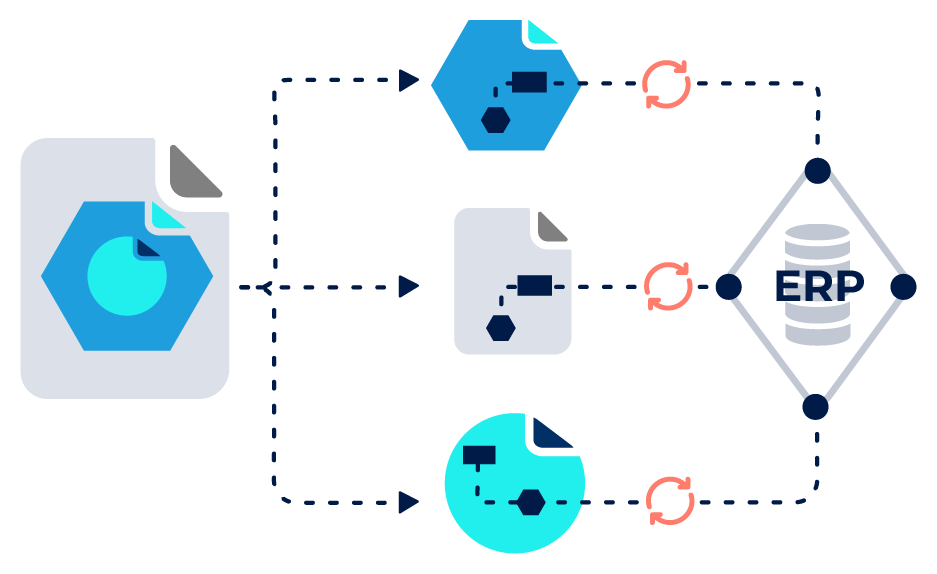
bluDELTA processes incoming documents automatically. The solution identifies and separates document types, extracts relevant information, and matches data with master and reference data. The result is structured, system-ready data for ERP and business systems.
One system.
Three modules.

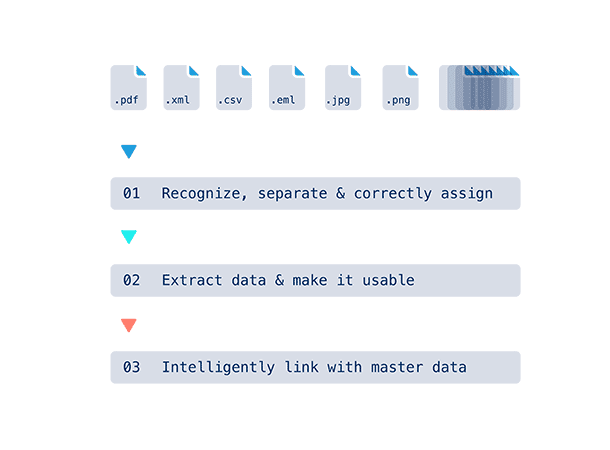
Not every company starts with full automation. Document processes vary depending on system landscapes, document types, and data quality.

bluDELTA is therefore built as a modular solution. Each module performs a clearly defined task within document processing. Modules can be used individually or combined step by step.

This transforms an unstructured document intake into a structured data foundation for downstream systems.
bd_steps_alle

bluDELTA Class & Split

Automation level 1

MODULE 01

Create structure in document intake

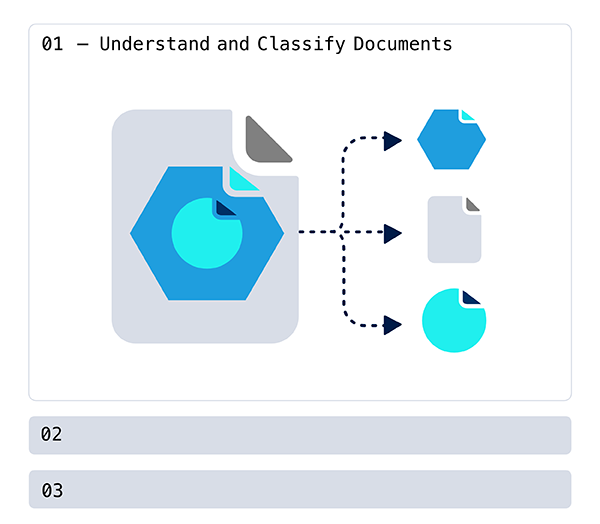
In many organizations, documents arrive in an unstructured way. Invoices, delivery notes, orders, or transport documents are often mixed within the same inboxes or files. Multi-page documents, batch PDFs, or mixed document types make automated processing difficult.

bluDELTA Class & Split analyzes incoming files, identifies the document type, and automatically separates related content. This creates a clear structure from mixed document inputs, enabling reliable downstream processing.
bd_modul01
  • automatic classification of incoming documents
  • separation of batch files and mixed documents
  • grouping of related documents and pages
  • processing of more than 40 different document formats
  • no manual pre-sorting required

bluDELTA Class & Split schafft Struktur im Dokumenteneingang und bildet die Grundlage für eine zuverlässige automatisierte Weiterverarbeitung.


Document classification and document intake

Document classification

bluDELTA automatically identifies document types and assigns them to the correct process.

Automate invoice intake

Automatic classification of incoming invoices creates structure in the inbox and reduces manual effort.

Separation & grouping of documents

Separation & grouping of documents
Batch files and mixed documents are automatically separated and logically grouped.

E-invoicing in mixed document intake

bluDELTA detects both structured and unstructured invoices and processes them reliably, even in mixed inputs.

Document capture without manual pre-sorting

Documents can be processed without prior manual separation. bluDELTA handles classification and structuring automatically.

Your questions, our answers.

Does bluDELTA work with mixed document inputs?2026-06-29T11:20:37+02:00

Yes. bluDELTA Class & Split identifies different document types within an inbox or file and separates them automatically. Batch PDFs and mixed document sets are processed reliably.

How does bluDELTA handle different layouts or supplier formats?2026-06-29T11:19:40+02:00

bluDELTA analyzes document content and structure independently of layout. Documents from different suppliers or formats can therefore be reliably identified and assigned.

Can bluDELTA be integrated into existing systems?2026-06-30T11:00:46+02:00

Yes. bluDELTA integrates into existing system landscapes via defined interfaces and provides structured data for ERP, workflow, or business systems.

More about integration & operation

How securely are incoming documents processed?2026-07-07T14:43:45+02:00

Processing takes place within controlled and audited security structures. Access, processing, and operation follow clearly defined security and data protection processes.

More about security & responsibility

What happens after document classification?2026-06-29T11:11:32+02:00

After classification, bluDELTA Extract extracts relevant information from documents. bluDELTA Mapping then matches the data with reference information and prepares it for target systems.

bluDELTA Extract

Automation level 2

MODULE 02

Capture information from documents

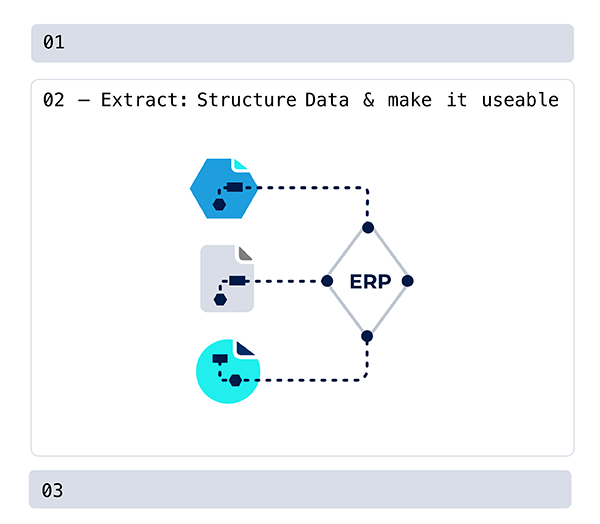
Documents often contain critical business data that cannot be directly used by ERP or other target systems. Relevant information from invoices, delivery notes, orders, transport documents, bank records, or time tracking documents must therefore often be captured manually.

bluDELTA Extract identifies relevant content within a document and extracts it automatically. Information such as amounts, line items, references, or supplier data is captured in a structured format and prepared for further processing.
bd_modul02
  • automatic extraction of relevant information
  • detection of amounts, line items, references, etc.
  • processing of structured and unstructured documents
  • support for a wide range of document types
  • structured data for ERP and business systems

bluDELTA Extract transforms documents into a structured data foundation and prepares them for the next processing step.


Data extraction from documents

OCR for invoices

bluDELTA automatically detects invoice content and extracts relevant information.

Validation & data quality

Extracted data is checked for completeness and plausibility and provided in a structured format.

Automatically capture invoice data

Amounts, line items, references, and supplier data are automatically captured.

E-invoicing & structured formats

bluDELTA processes structured invoice formats and integrates them into automated document workflows.

Straight-through processing in invoice processing

Extracted data can be transferred directly to downstream systems, enabling automated processing.

Your questions, our answers.

What information can bluDELTA extract?2026-06-29T11:22:22+02:00

bluDELTA Extract identifies and extracts relevant information such as amounts, invoice line items, references, supplier data, order numbers, or dates. The data is structured and prepared for further processing.

Can bluDELTA process structured e-invoices?2026-07-07T14:43:46+02:00

Yes. bluDELTA processes structured invoice formats such as XML-based e-invoices and provides the data in a structured format.

More on EN 16931-compliant processing

How reliable is data extraction?2026-07-07T10:30:45+02:00

bluDELTA combines AI-based recognition with structured rules and validation mechanisms. Extracted data is checked and validated, improving data quality and reducing downstream errors.

More on controlled automation

Can bluDELTA handle growing document volumes?2026-07-07T10:43:36+02:00

Yes. bluDELTA is designed for productive enterprise use and processes large volumes reliably. The architecture is scalable and adapts to increasing demand.

More on scalability

How is extracted data used?2026-06-29T11:27:39+02:00

Extracted information is provided in structured form and transferred via interfaces to ERP, workflow, or other systems.

bluDELTA Mapping

Automation level 3

MODULE 03

Assigning data correctly in context

Extracted information alone is often not sufficient for business processes. Data must be matched with reference information, such as master data, orders, or deliveries, before it can be processed in ERP or other systems.

bluDELTA Mapping performs this step automatically. Extracted data is matched with reference information, validated, and assigned in a business context. This results in consistent, system-ready data for further processing. Processes can run automatically, manual checks are reduced, and errors in downstream systems are avoided.
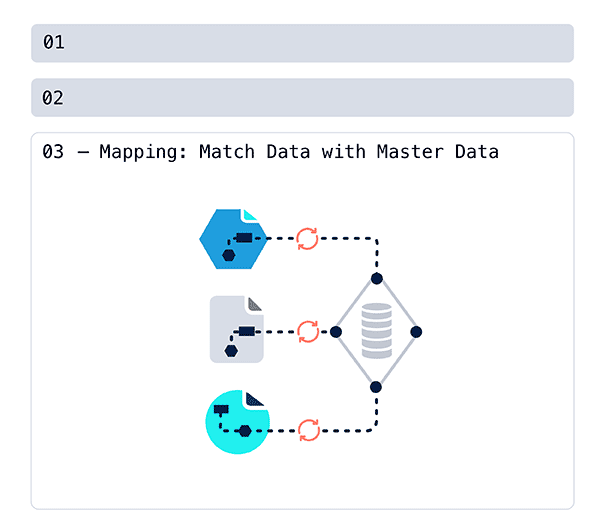
bd_modul03_
  • matching with master data, orders, or deliveries
  • validation and plausibility checks of extracted data
  • business-context assignment of document information
  • enrichment with reference and contextual data
  • transfer of structured data to ERP and business systems

bluDELTA Mapping turns extracted information into validated, system-ready data for automated business processes.
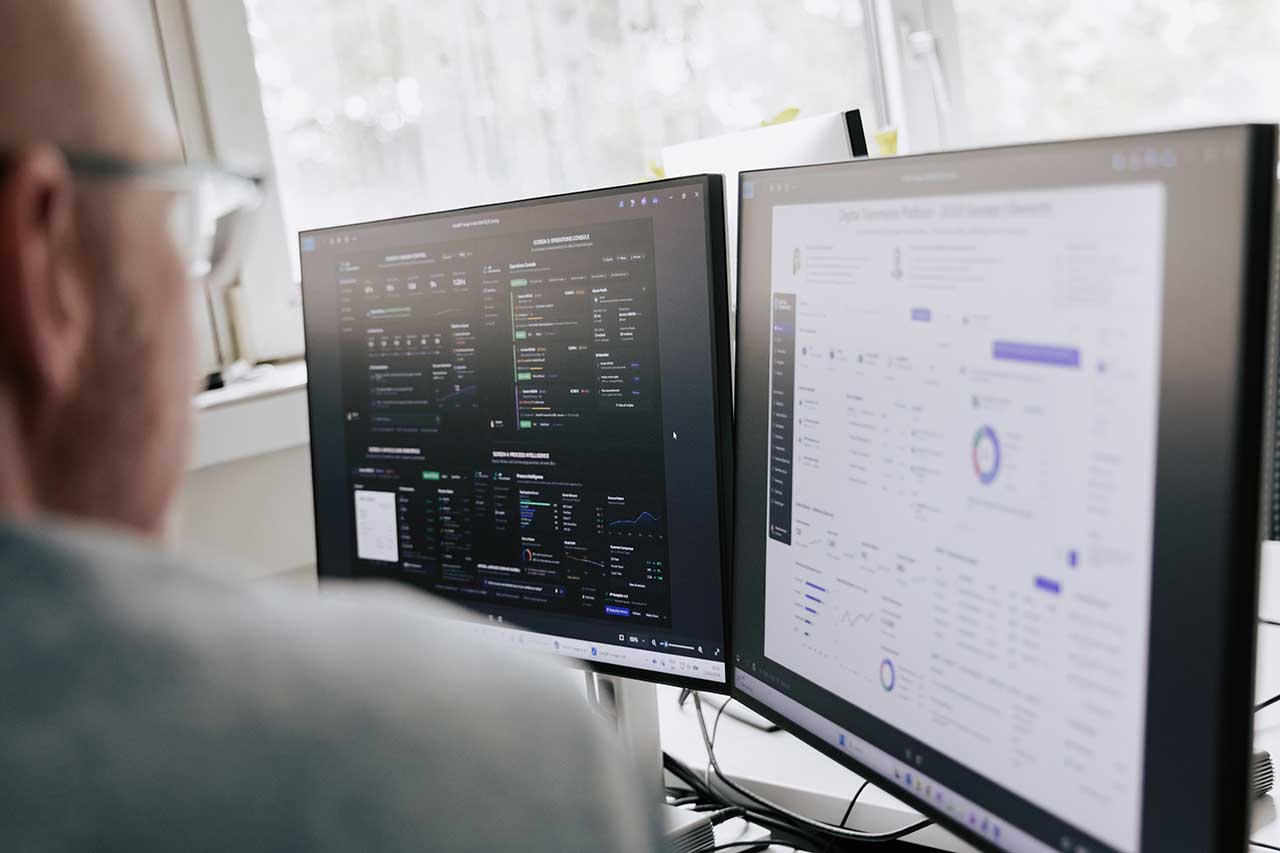

Data matching and process automation

Master data matching in ERP

Extracted data is matched with master and reference data and correctly assigned.

Data enrichment

Document data is enriched with contextual information and prepared for downstream processes.

Process automation in invoice processing

Validated data enables automated processing steps in invoice workflows.

End-to-end invoice processing

From document recognition to system-ready data for ERP and business systems.

Straight-through processing and automated posting

Correctly assigned data enables automated posting and approval processes.

Your questions, our answers.

What does mapping mean in document processing?2026-06-29T11:28:45+02:00

Mapping matches extracted document data with reference information, such as master data, orders, or deliveries, and assigns it correctly in context.

How does mapping support automation?2026-07-03T13:18:00+02:00

Correctly assigned data enables automated process steps, reduces manual checks, and accelerates processing.

More on automate invoice receipt

How is sensitive data handled?2026-07-06T16:33:43+02:00

Sensitive data is processed within clearly defined security and data protection frameworks.

More zu secure processing of sensitive documents

Can bluDELTA Mapping be integrated into existing systems?2026-07-06T16:47:12+02:00

Yes. bluDELTA integrates via defined interfaces and provides structured data to ERP and other systems.

More on system integration into existing IT landscapes

Can mapping be customized?2026-07-07T13:01:21+02:00

Yes. The scope of mapping and connected reference data can be defined and extended per project.

More on modular entry without a big bang

Tailored solutions -
Let’s talk!

Let’s explore how bluDELTA can be integrated into your processes and systems and which automation steps might be useful for your organization.

Portrait Martin Loiperdinger

Process automation in
3… 2… 1...

Go to Top